
Hyper VPN فیلتر شکن قوی پرسرعت
Hyper VPN FastCommunication
4.6285.00 Reviews
- Version
- 34
- Installs
- 1.00M
- Age Rating
- Everyone
Screenshots
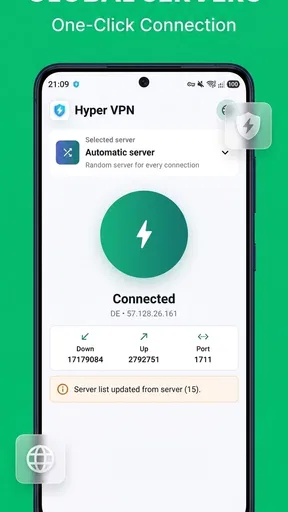
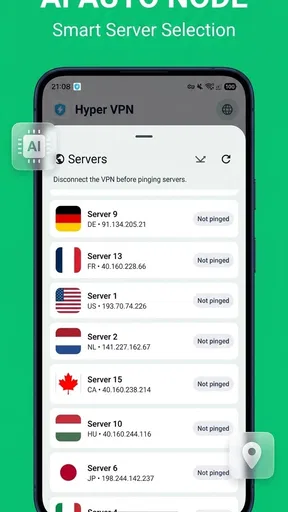
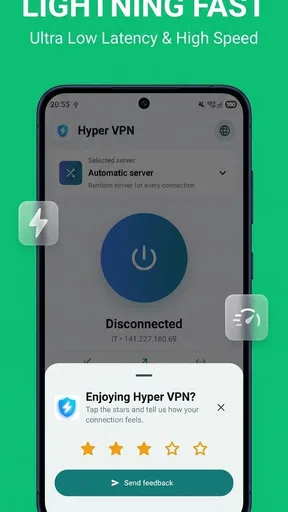
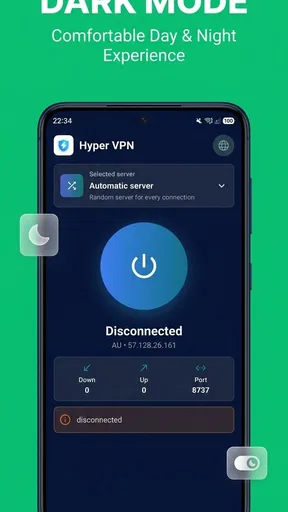
Our Review of Hyper VPN فیلتر شکن قوی پرسرعت
 Analysis by Appyee
Hyper VPN فیلتر شکن قوی پرسرعت is a free communication app from Hyper VPN Fast that I would describe as a straightforward VPN tool for people who want a quick connection without turning setup into a project. I used it with a practical mindset: install it, find the connection control, test ordinary browsing, and see how well it fits into the small moments when privacy or access matters. The experience is intentionally simple, but that simplicity also means you need to understand what a one-tap VPN can and cannot solve.
The app is aimed at everyday Android users rather than network specialists. It supports devices running Android 7.0 or later, carries an Everyone age rating, and its current release is version 34. It is free to install, which makes it easy to try without committing money first. Hyper VPN Fast has built a sizable audience too, with more than a million installs and an average score of 4.6 from roughly twenty-five thousand ratings. Those numbers suggest that the basic idea works for many people, although they should not be treated as a promise that every network, phone, or location will behave identically.
Getting past the first points of friction
The first place users can get stuck is before the VPN has done anything useful: identifying the correct app and understanding what the main control actually does. The short store description is simply “Hyper VPN,” so I would pay attention to the developer name, Hyper VPN Fast, when installing. That small check matters because VPN apps often have similar names, and choosing the wrong one can lead to a completely different experience.
Once installed, the sensible approach is to open the app while connected to your normal internet service and look for its primary connection action. A VPN needs permission from Android to create a secure VPN connection on the device. If Android displays a system confirmation, read it and approve it only if you are comfortable routing traffic through the app. This is not a Hyper VPN-specific trick; it is a normal part of how VPN applications work on Android.
I would not start by testing the app during an urgent call, while paying for something, or while trying to recover an important account. The first connection is better treated as a short trial. Open a basic webpage, check whether it loads, and then disconnect. That simple cycle tells you whether the app can establish a connection on your phone without mixing the test with a more serious task.
The most useful first test is not speed; it is stability. A connection that stays active while you move between two ordinary websites is more valuable than a momentarily fast result that drops as soon as the phone changes network conditions. Hyper VPN’s appeal is the low-effort connection flow, so I would judge it first on whether that flow is dependable for your routine.
Small setup checks that prevent unnecessary troubleshooting
Before blaming the app, I would check the basics. Make sure Android is not already showing that the phone is offline, and confirm that another app can reach the internet without the VPN. If ordinary connectivity is failing, a VPN cannot repair the underlying mobile or Wi-Fi problem. I would also close any other VPN application, because Android generally works best when one VPN service is handling the connection instead of several apps competing for control.
Battery-saving settings are another practical source of confusion. Some phones restrict background activity aggressively, especially when the screen is off. If the connection disappears after locking the phone, review the device’s battery settings for the app and test again. I would avoid turning off every battery protection immediately; instead, change one setting at a time so you know which adjustment helped.
It is also worth checking whether the phone has a work profile, parental controls, security software, or a managed network configuration. These can affect VPN connections independently of Hyper VPN. On a personal phone with a normal home connection, setup should be relatively uncomplicated. On a school or company device, restrictions may be intentional, and trying to bypass them may not be appropriate.
The app’s free price is convenient, but I would still approach free VPN use with the same care I use for any service that handles network traffic. A VPN can hide traffic from some local observers, but it does not make you anonymous everywhere, and it does not automatically make unsafe websites trustworthy. I would keep normal account security in place, use strong passwords, and avoid treating the VPN as a replacement for careful browsing.
How I would recover a connection that stops working
When a connection fails, I would use a short recovery sequence rather than repeatedly tapping the connect button. First, disconnect inside the app if it appears partially connected. Then wait briefly, switch back to the ordinary connection, and test one simple webpage. If that works, reopen Hyper VPN and try once more. This clears a temporary session problem without changing several phone settings at once.
If the connection still fails, I would move from Wi-Fi to mobile data or from mobile data to a trusted Wi-Fi network. This is a useful comparison because it separates an app problem from a network-specific problem. If Hyper VPN works on one connection but not the other, the router, carrier, firewall, or local network policy is a more likely source of the difficulty than the app itself.
Restarting the phone is not exciting advice, but it can clear a stuck VPN state that survives closing the application. I would also make sure Android is up to date enough for the app’s requirements and that there is sufficient free storage for normal system operation. The point is not to perform a long technical repair; it is to remove the ordinary causes first.
If the app connects but a particular website or service stops loading, I would disconnect and test that service normally. Some websites react differently to traffic coming through shared VPN addresses, and some services restrict access from certain network locations. In that situation, changing random phone settings is unlikely to help. The useful question is whether the issue affects the whole internet connection or only one destination.
Another practical habit is to avoid judging the app from a single crowded public hotspot. Hotel, café, school, and airport networks can impose their own sign-in pages or traffic rules. Connect to the hotspot normally first, complete any required login page, and only then start the VPN. If the VPN starts before the network’s sign-in process is complete, the authentication page may not appear correctly.
Everyday workflows where the app makes sense
A realistic use case is checking messages or browsing on public Wi-Fi while waiting somewhere. I would connect to the network, finish its access screen, launch Hyper VPN, and then use ordinary apps that do not require unusually sensitive handling. The benefit is a simpler privacy layer on an untrusted connection. I would still avoid entering financial details on a strange network unless the task is necessary, because a VPN is only one part of safe online behavior.
Another use is switching protection on briefly while researching a personal topic, then turning it off when it is no longer needed. The one-tap design suits this kind of short session better than a complicated VPN client filled with advanced controls. I like that workflow because it keeps the app from running continuously when I have no reason to use it, which can also make it easier to notice whether it affects battery life or other connections.
For travelers, the app may be useful when a familiar service behaves differently on an unfamiliar network. I would treat it as a connection experiment rather than a guarantee that every service will become available. A VPN can change the route and apparent network location, but websites and apps can still apply their own rules. If a service is essential for work, I would test it before traveling instead of discovering a compatibility problem at the worst possible time.
For families, the Everyone rating makes the app broadly suitable from an age-label perspective, but that does not mean it should be installed without discussion on a child’s phone. A VPN can affect network filtering and visibility, so parents should decide whether that fits their household rules. The age rating is not a substitute for supervision or device-level safety settings.
What the app does better than heavier alternatives
Hyper VPN’s strongest quality is its low learning curve. Many traditional VPN clients present a large map, a long server list, protocol choices, automation rules, and several connection modes. Those options can be valuable, but they also create more decisions and more ways for a new user to choose an unsuitable setting. Hyper VPN is more appealing when the goal is simply to connect quickly and get back to the task at hand.
That simplicity is especially useful on an older Android phone or for someone who does not want to understand networking terminology. Since the minimum operating system is Android 7.0, the app is accessible to a broad range of devices still in everyday use. I would not expect the same interface depth as a specialist VPN designed for technical control, but that is a trade-off rather than automatically a flaw.
Compared with using no VPN, the app offers a convenient extra layer for ordinary browsing on networks you do not fully trust. Compared with a paid, feature-heavy VPN, it is easier to try because there is no purchase barrier. The compromise is that people who need detailed location selection, advanced protocol controls, business administration, or a clearly defined specialist workflow may prefer a different category of product.
I would also avoid comparing it only by download speed. VPN performance depends on the phone, the local connection, congestion, routing, and the destination service. A fast connection at home may feel different from one on mobile data. If your work depends on stable video meetings, large uploads, online gaming, or consistently low latency, a dedicated service with more control and a tested plan may be a better fit than a simple free tool.
When Hyper VPN is not the cause of the problem
It is easy to blame the VPN whenever an app stops loading, but the timing can be misleading. A website may be down, a carrier may be having trouble, or the phone may have changed from Wi-Fi to mobile data. I would reproduce the issue with Hyper VPN disconnected, then compare the result after reconnecting. That two-step check gives a much clearer answer than relying on the error message alone.
Some problems are caused by account security systems. If a service notices a new network route, it may request another sign-in or verification step. That can feel like a VPN failure even when the VPN is operating normally. I would complete the service’s legitimate verification process rather than repeatedly reconnecting, and I would never share a verification code with anyone claiming to be helping.
Local network rules can matter too. A workplace or school may intentionally block VPN traffic, and a public hotspot may limit encrypted connections. In those settings, the responsible choice is to follow the network’s rules or use a connection you are authorized to use. The app should not be treated as a tool for evading legitimate access controls.
There is also a useful privacy distinction: a VPN protects the route between your device and the VPN service, but the websites and apps you sign into can still identify you through your account, cookies, or device behavior. I would use private browsing habits alongside the app, not assume that the VPN erases every trace. This is one of the most important expectations to set before relying on it.
Who should choose it, and who should look elsewhere
I would recommend Hyper VPN فیلتر شکن قوی پرسرعت to an Android user who wants a free, uncomplicated VPN for occasional everyday use. It makes the most sense for short browsing sessions, public Wi-Fi, and people who would rather press one connection control than configure a technical client. The large install base and strong average rating make it reasonable to try, but I would still perform the short connection test described above on your own device.
I would be more cautious about choosing it as the only tool for professional work, sensitive business activity, constant streaming, or tasks where a dropped connection has serious consequences. Those situations benefit from predictable support, more explicit controls, and a service selected around a particular requirement. If you need to choose a precise server location or troubleshoot advanced routing behavior, a more configurable alternative will probably save time.
I would also skip it if your main goal is complete anonymity. No ordinary one-tap VPN can promise that by itself. The app can be part of a privacy routine, but it should sit beside secure accounts, updated software, careful permissions, and sensible browsing decisions. That distinction keeps the recommendation honest.
My practical verdict after testing the workflow
Hyper VPN فیلتر شکن قوی پرسرعت succeeds by keeping the central action understandable. It is free, supports a wide range of Android devices, and is designed for the person who wants a quick privacy-oriented connection rather than a networking lesson. I especially like the idea of using it in short, deliberate sessions: connect after a public hotspot login, browse what you need, then disconnect and compare behavior if something seems wrong.
The limitations come from the same simplicity that makes it approachable. A basic VPN app cannot remove every network problem, guarantee access to every service, or replace a specialist solution for demanding users. Connection trouble may come from the router, carrier, destination website, device battery controls, or local policy. Testing those possibilities in order is more effective than assuming the app is always responsible.
For my recommendation, I would say try it if your needs are ordinary and your priority is low-friction use. Keep expectations realistic, test it before depending on it during travel or important work, and remember that privacy is a habit rather than a single switch. For that audience, Hyper VPN is a sensible free starting point; for advanced control or mission-critical reliability, I would choose a more specialized alternative.
Verdict
Strengths of Hyper VPN فیلتر شکن قوی پرسرعت
- One-tap connection makes it easy for beginners to use.
- Offers multiple server locations for more flexible connections.
- Lightweight design has minimal impact on device storage.
- Works over both Wi-Fi and mobile data networks.
- Useful for accessing services on restricted networks.
Limitations of Hyper VPN فیلتر شکن قوی پرسرعت
- Connection quality can vary significantly between server locations.
- Free access may include frequent advertisements or upgrade prompts.
- The app may request broad permissions users should review carefully.
- Some servers can become crowded during peak usage hours.
- VPN speeds may drop noticeably when using distant servers.
Similar Picks in This Category
View All
Google Messages
Google LLC4.6

Gmail
Google LLC4.1

Google Meet
Google LLC4.4

Google Chrome
Google LLC4.1

WhatsApp Messenger
WhatsApp LLC4.6

Carrier Services
Google LLC4.2
Frequently Asked Questions
What is Hyper VPN فیلتر شکن قوی پرسرعت, and how does it work?
Hyper VPN فیلتر شکن قوی پرسرعت is a VPN application designed to create an encrypted connection between your device and the internet. After choosing a server and connecting, your traffic is routed through that server, which can help protect data on public Wi‑Fi and may provide access to websites or services restricted by network location. Actual performance depends on the selected server, your network, and regional availability.
Is Hyper VPN فیلتر شکن قوی پرسرعت free to use?
The application may offer a free connection option, although availability, speed, server locations, advertisements, and usage limits can vary by version and platform. Some features may require an in-app purchase or subscription. Before connecting regularly, users should review the pricing page, renewal terms, trial conditions, and cancellation policy shown in the official Google Play or App Store listing.
Does Hyper VPN protect my privacy and personal data?
A VPN can encrypt traffic between your device and its VPN server, which is useful when using unsecured networks such as public Wi‑Fi. However, it does not make you completely anonymous and cannot protect you from phishing, malware, unsafe websites, or accounts that already identify you. Review Hyper VPN’s privacy policy to understand what connection data, device information, or diagnostics may be collected and retained.
How fast and reliable is Hyper VPN for browsing, streaming, or gaming?
Connection quality can differ considerably depending on your internet provider, distance to the selected server, congestion, and the VPN protocol used by the app. In testing, choosing a nearby server generally provides a better balance between speed and stability, while distant locations may increase latency. Users should also expect occasional reconnections or slower performance during busy periods, especially on free servers.
What permissions does Hyper VPN require, and is it safe to install?
Like most VPN applications, Hyper VPN needs permission to create and manage a VPN connection on your device. Android or iOS may display a system warning explaining that the app can route network traffic through its service; this is normal for VPN software. Download it only from an official app store, check the developer information and recent reviews, and avoid modified APK files that could contain unwanted or harmful code.
